# 群内使用询价

1. 添加 AOI Office小助手 到想要使用的群组中。
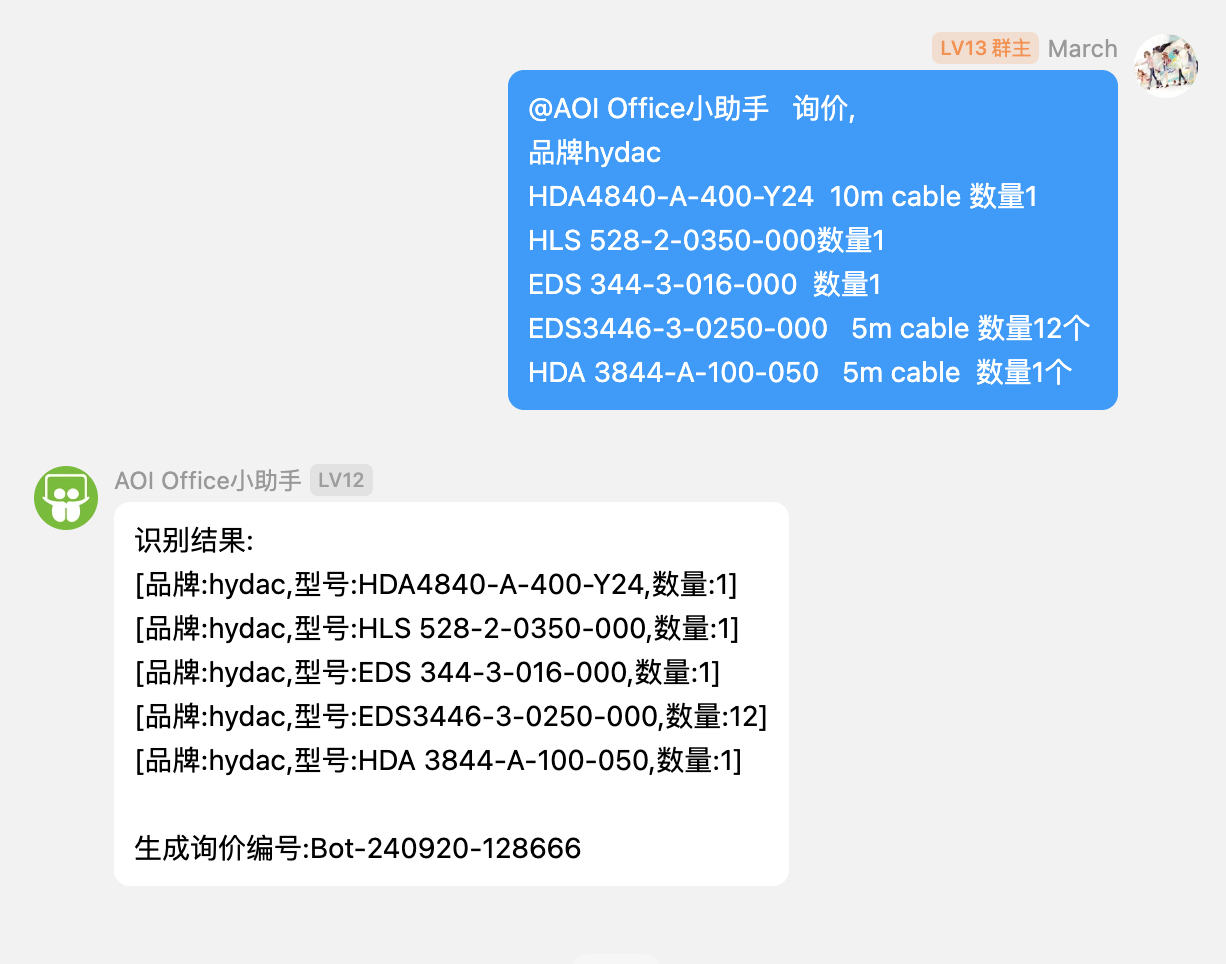
2. 在群内 @AOI Office小助手 询价，品牌xxx，型号xxx，需要x件。 即可生成询价单。

<figure><img src="/files/heyxXnk5cjyBB2w3MLtV" alt="" width="563"><figcaption><p>注意：消息包含【询价】两个字，Bot会以询价请求处理该消息。</p></figcaption></figure>

3. 小助手回复后，请留意识别结果和询价编号。（若识别结果有误，请联系人工）
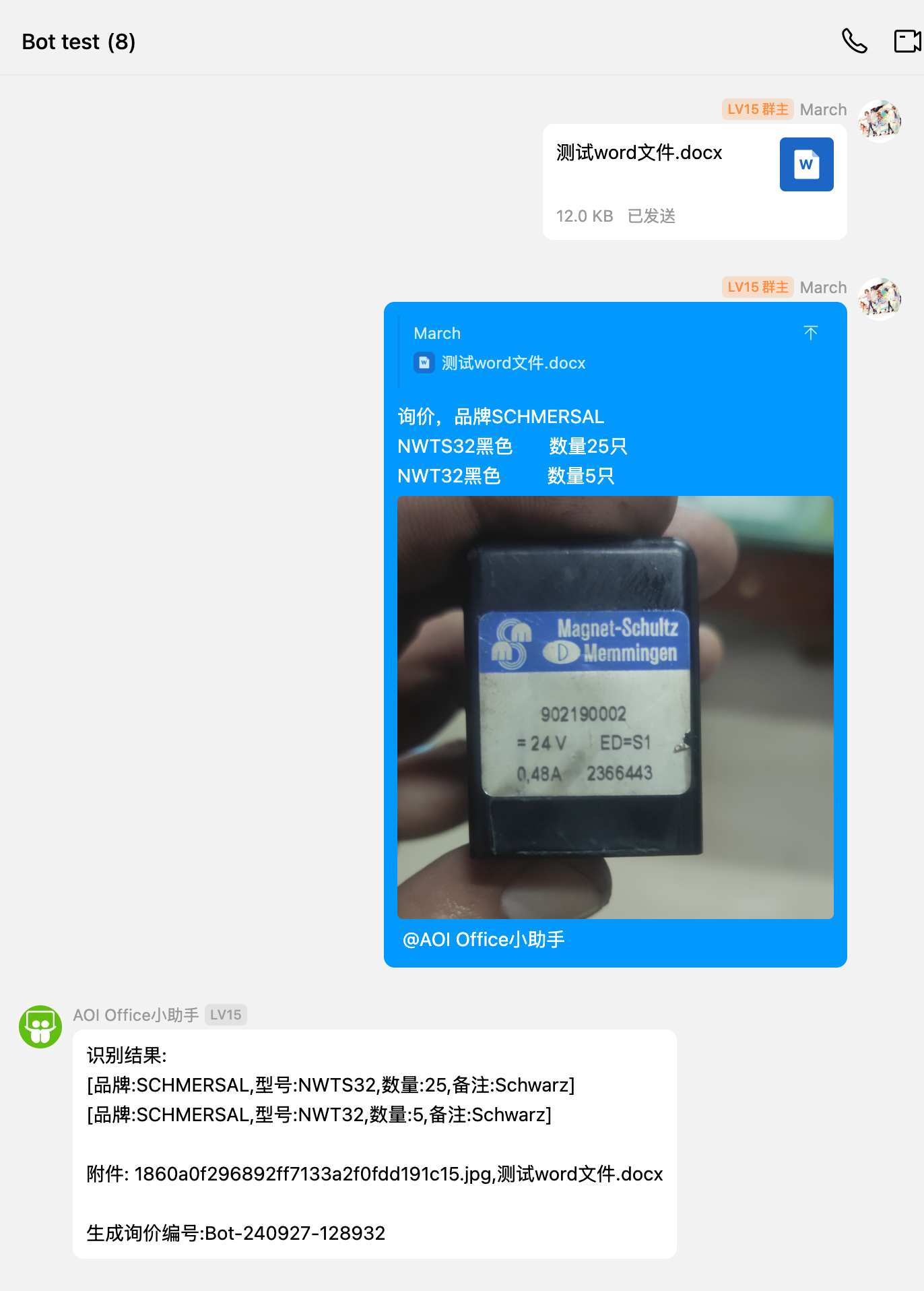
4. 可以引用一个文件作为附件，同时可以在消息主体内添加多张图片作为附件，例：

<figure><img src="/files/rtn3RFdO4iyFiQjROgzZ" alt="" width="375"><figcaption></figcaption></figure>


---

# Agent Instructions: Querying This Documentation

If you need additional information that is not directly available in this page, you can query the documentation dynamically by asking a question.

Perform an HTTP GET request on the current page URL with the `ask` query parameter:

```
GET https://bot-doc.marchccc.top/master.md?ask=<question>
```

The question should be specific, self-contained, and written in natural language.
The response will contain a direct answer to the question and relevant excerpts and sources from the documentation.

Use this mechanism when the answer is not explicitly present in the current page, you need clarification or additional context, or you want to retrieve related documentation sections.